Best Controllers for NBA 2K25: PS5, Xbox & PC
The right controller won't fix your jump shot, but the wrong one is definitely holding it back
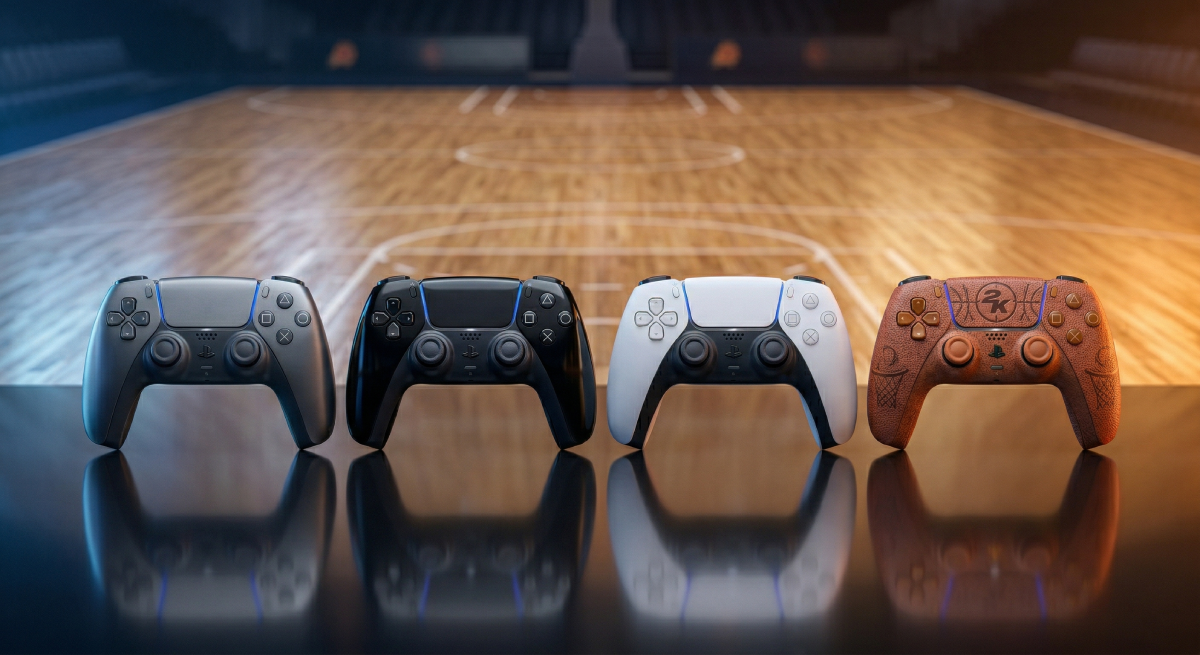
Your controller is the only thing between your brain and the game. Every dribble move, every shot release, every steal attempt runs through your thumbs and triggers. If your controller has stick drift, mushy buttons, wireless lag, or dead zones you can't adjust, you're fighting your hardware before you even fight the defense.
This guide covers the four best controllers for NBA 2K25 across PS5, Xbox, and PC, from premium options with back paddles and adjustable triggers all the way down to a solid budget pick that gets the job done.
What Matters in a 2K Controller
Not every "gaming controller" feature matters for basketball games. Here is what actually impacts your 2K performance:
Feature | Why It Matters for 2K |
|---|---|
Stick precision | Dribble moves and Pro Stick shooting require precise, consistent input |
Trigger responsiveness | Faster trigger = faster shot release and defensive reactions |
Wired connection option | Eliminates 4-8ms of Bluetooth latency for tighter shot timing |
Back paddles/buttons | Map sprint or pass to paddles so your thumb never leaves the right stick |
Dead zone adjustment | Fine-tune stick sensitivity to eliminate drift and improve dribble control |
Build quality | Stick drift is the #1 controller killer for 2K grinders |
The wired advantage: Bluetooth adds 4-8ms of input lag on every button press. For context, your green window in 2K25 is roughly 30-50ms wide. Playing wireless is giving away 10-15% of your timing margin for no reason. Every controller on this list supports wired play. Use it.
The Picks
1. Sony DualSense Edge | Premium PS5
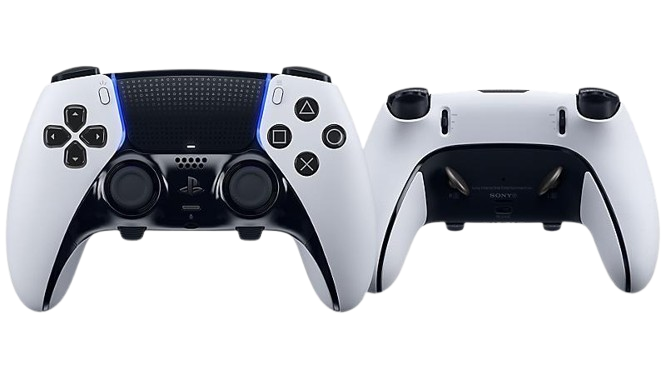
Sony's first-party pro controller. Built for players who want total control over every input.
Spec | Detail |
|---|---|
Platform | PS5, PC (Steam) |
Connection | Wireless (Bluetooth) + Wired (USB-C with locking cable) |
Back Buttons | 2 (two paddle styles included: lever and half-dome) |
Trigger Locks | Yes, 3-position physical switches on each trigger |
Stick Customization | Swappable modules, 3 cap heights, adjustable dead zones and sensitivity curves |
Profiles | Up to 30 saved profiles, quick-switch via Function buttons mid-game |
Weight | 335g (heavier than standard DualSense) |
Price | ~$200 |
Why it works for 2K: The DualSense Edge gives you full control over stick sensitivity and dead zones through the PS5 system menu. This is huge for 2K because Pro Stick shooting and rhythm shooting require precise stick input. If your sticks have even a slight dead zone issue, your shots will feel inconsistent. The Edge lets you dial that out completely.
The two back paddles are a game-changer for 2K specifically. Map sprint (L2) to a back paddle and you never have to take your left thumb off the stick while driving to the basket. Or map the pass button so you can kick out to shooters without lifting your right thumb mid-dribble.
The trigger lock switches are useful for defense. Shortening the trigger travel on L2 means faster on-ball defensive stance activation, which helps you stay in front of quick guards.
The catch: Battery life is shorter than the standard DualSense (roughly 5-6 hours vs 7-8). For serious sessions, just play wired. The included 9-foot braided cable with a locking mechanism makes wired play comfortable and secure.
Best for: PS5 players who want the most customizable first-party option with no compatibility headaches.
2. Xbox Elite Wireless Controller Series 2 | Premium Xbox/PC
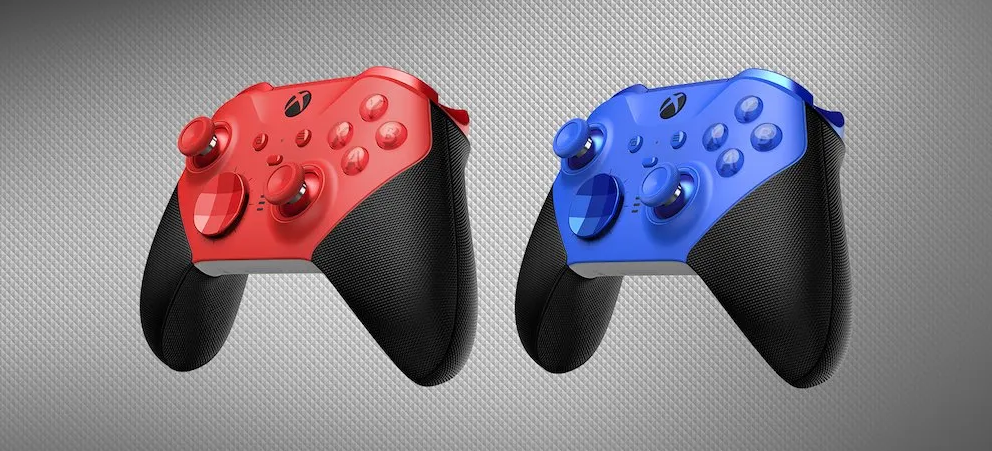
The gold standard for pro controllers. Four back paddles, tension-adjustable sticks, and rock-solid build quality.
Spec | Detail |
|---|---|
Platform | Xbox Series X/S, Xbox One, PC |
Connection | Wireless (Xbox Wireless + Bluetooth) + Wired (USB-C) |
Back Paddles | 4 (removable, magnetic) |
Trigger Locks | Yes, 3-position hair trigger locks |
Stick Customization | Swappable thumbsticks (3 types), adjustable tension, configurable dead zones via Xbox Accessories app |
Profiles | 3 on-device slots, unlimited via app |
Weight | 345g |
Price | ~$180 |
Why it works for 2K: Four back paddles is the biggest advantage over every other controller on this list. With four paddles, you can map sprint, pass, shoot, and icon pass all to the back of the controller. Your thumbs never leave the sticks. For a game where dribbling, shooting, and passing all require precise stick input simultaneously, this is a massive quality-of-life upgrade.
The adjustable stick tension is another standout. You can tighten the right stick for more resistance, which gives you finer control over Pro Stick shooting and rhythm shooting. It is like adding weight to a mouse for more precise aiming, but for your jump shot.
The Xbox Accessories app lets you create detailed profiles with custom dead zones, stick curves, and button mappings. Set up one profile for offense-heavy play and another for lockdown defense, then swap between them without pausing.
The catch: The Elite Series 2 has had documented reliability issues with bumper buttons and stick drift over time. Microsoft offers an extended warranty, and the newer "Core" edition addressed some quality control problems. Still worth knowing before you invest.
Best for: Xbox and PC players who want the most paddles and the deepest customization. Also the best option if you switch between 2K and other games frequently thanks to the profile system.
3. SCUF Reflex Pro | Tournament-Ready
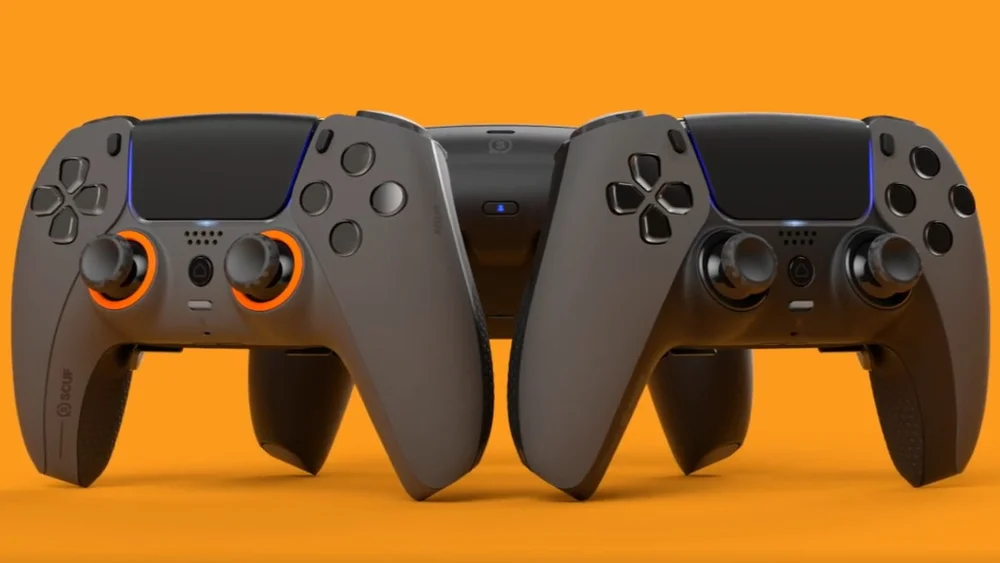
Built from the ground up for competitive console gaming. The controller that PS5 pros actually use.
Spec | Detail |
|---|---|
Platform | PS5, PC |
Connection | Wireless (Bluetooth) + Wired (USB-C) |
Back Paddles | 4 (non-removable, integrated into grip) |
Trigger Locks | Yes, instant trigger stops |
Stick Customization | Swappable thumbsticks (short, medium, long, domed, concave), adjustable via SCUF app |
Profiles | On-device remapping |
Weight | ~300g |
Price | ~$220 |
Why it works for 2K: The SCUF Reflex Pro has four back paddles on a PS5 controller, which Sony's own DualSense Edge does not offer. If you want four paddles on PlayStation, SCUF is your best (and really only) option. The paddles are built into the grip rather than attached magnetically, so they feel like a natural extension of the controller rather than an add-on.
The instant trigger stops are among the fastest in any controller. For 2K, this means your defensive stance (L2) and shot release (Square/X) activate the moment you touch the trigger with zero wasted travel. Over hundreds of shots per session, that consistency adds up.
SCUF also offers extensive cosmetic customization if you care about aesthetics, but the real value is in the performance hardware.
The catch: At $220+, the SCUF Reflex Pro is the most expensive option on this list. Build quality has been a mixed bag historically; SCUF controllers are well-regarded when they work, but some users report issues with paddle durability after heavy use. The warranty and customer service have improved in recent years.
Best for: PS5 competitive players who need four back paddles and are willing to pay for the best tournament-grade option. Popular in the 2K League and Pro-Am communities.
4. Logitech F310 | Budget Option
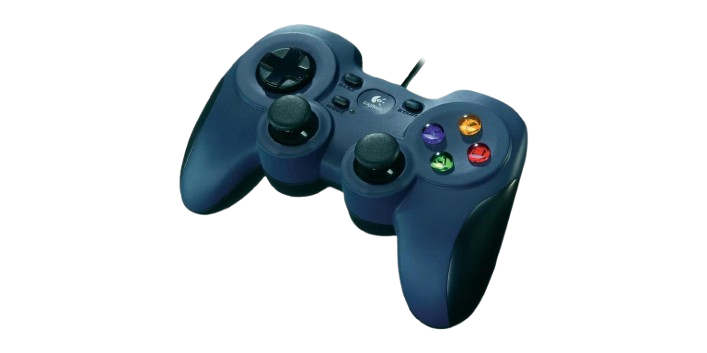
A wired, no-nonsense controller for PC players who want reliability without the price tag.
Spec | Detail |
|---|---|
Platform | PC |
Connection | Wired (USB) only |
Back Paddles | None |
Trigger Locks | No |
Stick Customization | None (hardware), configurable via Logitech software |
Profiles | Via Logitech Profiler software |
Weight | ~280g |
Price | ~$20-25 |
Why it works for 2K: Sometimes the best controller is the one that just works. The F310 is a wired USB controller with a familiar layout, decent sticks, and zero wireless lag. For PC players who play 2K casually or are just getting into the game, spending $200 on an Elite controller makes no sense. The F310 gives you reliable, lag-free input for the price of a fast food meal.
The DirectInput/XInput switch on the bottom lets it work natively with virtually every PC game, including 2K25, without driver issues or compatibility headaches. Plug it in and play.
The catch: No back paddles, no trigger locks, no stick customization, no wireless. The sticks and triggers are functional but not premium. You will notice the difference if you have ever used a DualSense or Xbox controller. The D-pad is also on the stiff side.
This is not a competitive controller. It is a starting point. If you find yourself grinding 2K seriously on PC, upgrade to the Xbox Elite Series 2, which works natively on Windows.
Best for: PC players on a budget, casual players, or anyone who needs a second controller for local multiplayer.
Quick Comparison
Controller | Platform | Back Paddles | Wired Option | Trigger Locks | Price |
|---|---|---|---|---|---|
DualSense Edge | PS5, PC | 2 | Yes (USB-C) | Yes (3-pos) | ~$200 |
Xbox Elite Series 2 | Xbox, PC | 4 | Yes (USB-C) | Yes (3-pos) | ~$180 |
SCUF Reflex Pro | PS5, PC | 4 | Yes (USB-C) | Yes (instant) | ~$220 |
Logitech F310 | PC | 0 | Yes (USB-A) | No | ~$25 |
How to Set Up Your Controller for 2K25
No matter which controller you pick, these settings maximize your performance:
In-game (NBA 2K25 Controller Settings):
Shot Timing Profile: High Risk-Reward (largest green window)
Pro Stick Orientation: Absolute (more consistent input)
Shot Timing: User Timing (not Real Player %)
On your controller:
Map sprint to a back paddle so your left thumb stays on the movement stick
Shorten trigger travel/enable trigger locks for faster defensive stance and shot release
Tighten right stick dead zone to eliminate any drift that could affect Pro Stick shooting
Play wired whenever possible, especially for online modes (Rec, Pro-Am, Park)
On your console/PC:
Disable Bluetooth if you are using a cable (some controllers still default to wireless even when plugged in)
Update your controller firmware regularly for bug fixes and input improvements
On PC, use Steam Big Picture mode for the best controller configuration options
The 2K-specific paddle setup that competitive players swear by: Left paddle = Sprint (L2). Right paddle = Pass (X/A). This keeps both thumbs on the sticks at all times, which means you can dribble and pass without ever interrupting your stick input. Try it for a week and you will never go back.
The Bottom Line
Your controller is not going to turn you into a 2K god overnight. But if you are losing green windows because of wireless lag, missing dribble combos because of stick drift, or cramping your hand trying to sprint and dribble at the same time, the right controller removes those obstacles.
For most players, the Xbox Elite Series 2 (Xbox/PC) or DualSense Edge (PS5) is the sweet spot of performance and value. If you need four paddles on PlayStation, go SCUF Reflex Pro. And if you just need something reliable and cheap for PC, the Logitech F310 gets the job done until you are ready to upgrade.
Plug it in. Map your paddles. Go green some threes.